
Digital SAT Practice Tests: Home Setup Guide
How long is a Bluebook SAT practice test? Testing takes 2 hours 14 minutes, plus a 10-minute break. Set up your device and space.
Try a question now. No account needed.
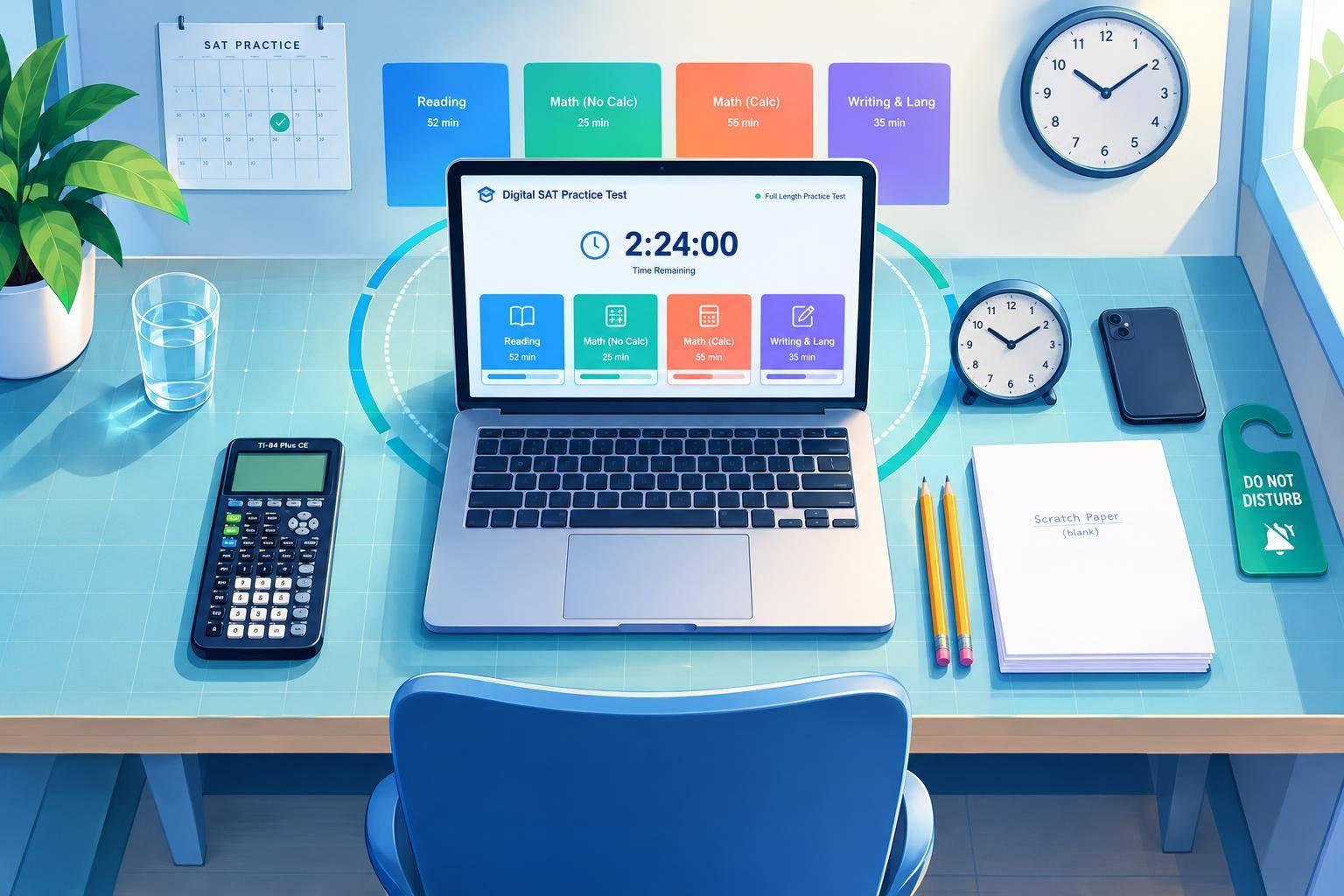
Digital SAT Practice Tests: Home Setup Guide
A full-length digital SAT practice test in Bluebook has 2 hours and 14 minutes of testing: 64 minutes for Reading and Writing and 70 minutes for Math. There is a separate 10-minute break between sections, so set aside 2 hours and 24 minutes for testing plus the break. College Board lists the testing time as 2 hours and 14 minutes; the break is additional. College Board: SAT structure. Bluebook full-length practice tests are timed like the real test, with the exception that students can move forward from one section to the next before time expires. College Board: Bluebook practice tests.
This guide covers how to prepare a device and quiet space, follow the module sequence, and review your practice results.
My routine is simple:
- Check the setup: Confirm current College Board device requirements and calculator rules before starting.
- Follow test-day timing: Complete all four modules without outside help. If you have approved accommodations, use your assigned timing and breaks.
- Review afterward: Separate skill gaps from pacing mistakes and distractions, then use an error log to choose your next task.
- Drill weak skills: Use SAT Practice Bot for verified questions, grading, explanations, answer review, and progress tracking.
My goal is more than a score: I want to know <u>what to work on next</u>.
Set Up Your Device and Room
Choose a Supported Device and Install Bluebook
Practice with the device and software you plan to use on test day. Before timing yourself, check the current Bluebook requirements. Supported devices include eligible Windows and Mac computers, iPads, and school-managed Chromebooks. Personal Chromebooks and phones are not supported. Laptops need a screen of at least 10 inches; tablets need at least 8 inches.[12][14]
Install or update Bluebook through College Board, run “Test Your Device,” sign in, and locate the full-length SAT practice tests. Fix any compatibility problems before practice day.[11][15][17]
Close other apps and turn off notifications. Disable screen-time restrictions and VPN settings that might interrupt testing, check your Wi-Fi, and test your keyboard and trackpad. Fully charge your device and keep its charger nearby. College Board says your device should hold a charge for at least 3 hours. Do not use a second monitor or remote desktop.[12][13][15]
Choose a Quiet Room and Start Time
Set up at a desk or table with a stable chair and lighting that limits screen glare. Make room for your device and scratch paper. Turn off background media, and keep your phone, smartwatch, books, and other papers out of reach. Let people at home know your testing window, ask them not to interrupt, and arrange pet care ahead of time.
Begin at the time you expect to start on test day. Set aside 2 hours 24 minutes for the full practice test, plus setup time.[16][18] Keep water and permitted materials ready so you don’t need to leave your workspace.
With your room and device ready, use the same module order and break timing for each practice test.
Follow the Digital SAT Module Sequence
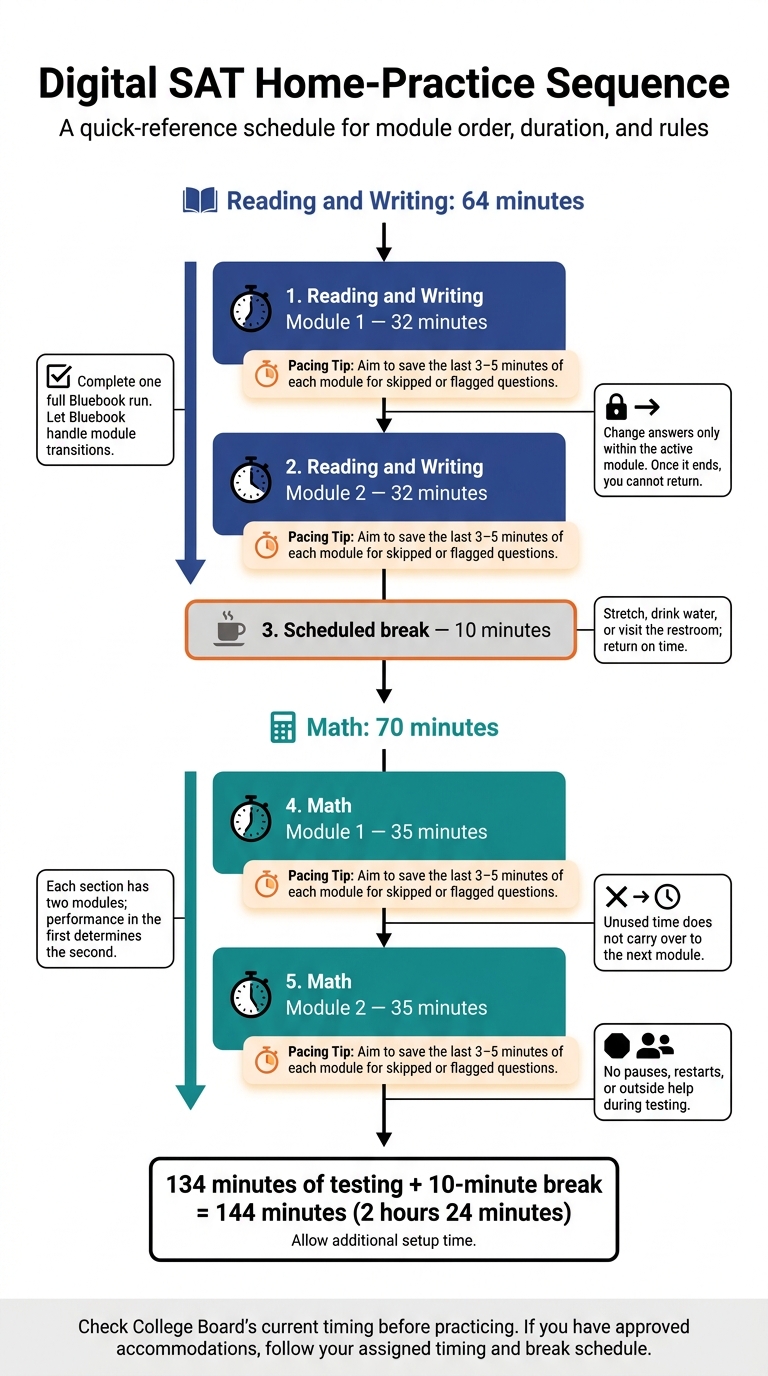
Digital SAT Practice Test Timing
Complete each practice test in one full Bluebook run so the adaptive sequence matches test day. Read the on-screen directions before starting, and let Bluebook handle module transitions.[20][10]
Reading and Writing comes first, followed by Math. Each section has two modules, and your performance in the first determines the second. Home practice should follow this exact sequence - not just use the same question types.[19][23][24]
Follow Module Timing and the 10-Minute Break
Use this schedule for every home practice test:
| Stage | Time |
|---|---|
| Reading and Writing Module 1 | 32 minutes |
| Reading and Writing Module 2 | 32 minutes |
| Scheduled break | 10 minutes |
| Math Module 1 | 35 minutes |
| Math Module 2 | 35 minutes |
The four modules total 134 minutes, plus a separate 10-minute break. Check College Board’s current timing before practicing. If you have approved accommodations, follow the timing and break schedule that applies to you.[19][7][22]
Use the Timer and Review Within Each Module
Before starting, learn how to use Bluebook’s Mark for Review, Question Menu, and timer controls.[20][6]
If a question takes too long, choose your best answer, flag it, and move on. Aim to save the last 3–5 minutes for skipped or flagged questions, then adjust your pacing after practice.
You can change answers only in the active module. Once it ends, you cannot return, and unused time does not carry over to the next module.[7][21]
Finish Without Pauses or Outside Help
Complete all four modules in one sitting, without pauses, restarts, or outside help. Do not use search engines, AI tools, notes, phones, or answer keys during the test.
Use the 10-minute break to stretch, drink water, or visit the restroom, and return on time. If a major interruption occurs, record it and label the session nonstandard.[7][11]
Prepare Permitted Practice Materials
Clear your desk, then practice with only the tools allowed on test day.
| Material | Home-practice rule |
|---|---|
| Scratch paper | Use blank paper only for this session. Testing staff provide paper on test day.[3][25] |
| Calculator | Use Bluebook’s built-in calculator or an approved handheld calculator for Math only.[5][4] |
| Phone and outside notes | Keep your phone and all outside notes out of reach during practice.[26][27] |
Prepare Scratch Paper and Find the Math Reference Sheet
Have blank paper and a pencil or pen ready for calculations, diagrams, and notes you make during this session. A No. 2 pencil isn’t required. Don’t reuse pages with earlier work or formulas.[25][29]
Before timed practice, take a few untimed minutes to find the Math reference sheet in Bluebook. During Math, use that sheet - not a printed copy, textbook, notebook, or outside formula sheet.[4]
Keep your calculator out of reach during Reading and Writing. Bring it out only for Math.[5][26]
Use an Approved Calculator for Math
Get familiar with Bluebook’s built-in calculator before you start. If you plan to use a handheld calculator, check its exact model against the current SAT calculator policy.[5][28]
Calculators are allowed throughout Math. Don’t use a phone calculator or an external calculator website. If you use a handheld, practice with the same model you’ll bring on test day.[5][26][30]
Review Results and Plan Your Next Practice
After the test, open College Board’s My Practice to check your results. Signed-in full-length practice tests show scores; Bluebook previews do not.[8][9][10][32] Start with the score report, then review individual questions.
Record Scores and Find Error Patterns
Record the date, test number, total and section scores, and any module scores shown. Note your start time, device, interruptions, and whether you took the planned break. Do not convert raw counts into SAT scores.[10][32]
Review questions you got wrong, skipped, guessed on, or took too long to answer. Try each one again before reading the explanation. If you still miss it without a time limit, log a skill gap. If you solve it on your second try, log a misread, trap answer, calculation error, or pacing issue. Keep device, interface, and room problems separate from academic errors.[10][32]
Practice Specific Skills With SAT Practice Bot
Use repeated weak spots from your review to choose one or two skills for focused drills in SAT Practice Bot. It provides verified questions, explanations after grading, answer review, and progress tracking.[1][31]
Keep an Error Log and Choose Your Next Task
For each question, record the skill, your answer, the correct answer, the error type, a timing note, the fix, and a follow-up date.
Let the pattern guide your next task: review a skill to address gaps, use timed sets to work on pacing, or change your setup to reduce distractions. Judge progress by repeated errors and pacing, not one higher score.[9][10][32]
Conclusion: Repeat Your Home-Test Routine
Treat each home practice test like test day, with the same setup and timing every time.[11][15][33] Complete the full test in standard digital SAT order. Work through each module without pauses or outside help, and wait until after submission to review your answers.[33][34][35] After grading, use your error log to pick your next drill or full test simulation.
FAQs
What if my internet drops during practice?
Check Bluebook’s on-screen instructions and College Board’s current guidance if your connection drops. The College Board Bluebook practice-test page does not specify an internet interruption recovery procedure, so follow the instructions shown in the app.
How often should I take a full practice test?
Build stamina with one timed module at a time instead of following a fixed schedule. Meet your pacing targets for that module before adding another. Lengthen your sessions as long as your accuracy holds steady [1].
Advanced students may spend more time on full-length practice tests. If your time is limited, focus on shorter practice sessions. Fit full-length tests into your study plan and available time to avoid burnout [2].
How can I tell if my score improvement is real?
Look for progress over time, not just a higher score on one practice test. Steady improvement across several practice sessions is a better sign that your skills are growing.
Keep an error log to track whether you’re making fewer mistakes and can explain why answers are correct. Retry questions you missed, then apply those skills to new, similar problems. Getting both right - and explaining your reasoning - helps separate skill mastery from lucky guesses.
How do I create a realistic digital SAT practice test at home?
Use a full-length Bluebook practice test, which is timed like the real test except you can move ahead early from one section to the next (College Board: Bluebook practice tests). Testing takes 2 hours 14 minutes (64 minutes for Reading and Writing, 70 for Math), with a 10-minute break between the two sections (College Board: SAT structure). Afterward, review your scores in My Practice (College Board: Bluebook practice tests).